Friday, June 11, 2021

SQL backup,restore and script in SQL- part 5

  In this blog we are going to understand SQL backup , restore and scripts.


SQL  Backup :
  • A copy of sql server data that can be used to restore and recover the data after a failure.
  • backup of a database can also be used to restore a copy the database to a new location.
  • The backup copies the data or log records from database to device such as disc.


There are three main types of backup:

1.Full backup:
  • Full backup stores a full copy of a specific database at the point in time that the backup completed.
  • It contains all the data in a specific database or set of filegroups. 
  • This backup copy of all data to a storage device, such as a disk or tape.
2.Differential backup :
  • a copy of all data changes from the last full backup to the current point in time
3.Log backup :
  • It is the backup of transaction logs that have all log records that are not backed up in previous log backup.

Steps for back up database :

1) Connect to database and expand database, select the database which we want to backup :


2) Select the backup type, By default, it is Full -:
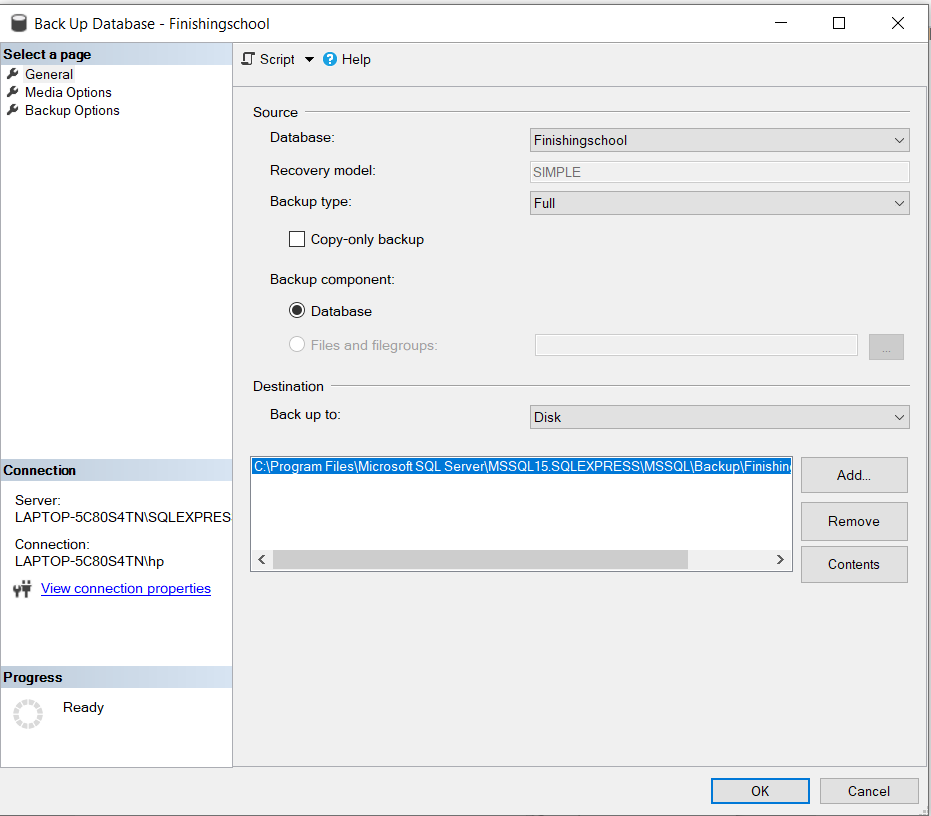
                        

3) You can add new destination and add .bak extension :
                          

4) Click on "Ok" and the database backup completed :
               

5) You can check whether the backup is created successfully or not by going to destination folder :


SQL  Restore :

  • The restore is a process of restoring or recovering data from backup.

Steps for restoring database :

1) Click on database => Restore database :


2) Click on device and select backup device : 


3) Give name for database  :


4) Now database is restored successfully :


5) And refresh database to see restored database :


SQL  Scripts :

  • We can create or generate scripts for transferring database between instances.
  • SQL script is a set of SQL commands which are stored as a file in SQL scripts.

Steps for generating scripts :

1)  Click on database => Task => Generate scripts :


2) After clicking next, choose entire database or specific object :


3)  Click on save as script file and destination :


4)  We can see the scripts are saved, now click on finish :


5)  Open the destination folder and verify the script is generated or not :


6) Click on script file, we can see the set of commands :


For more understanding watch below video :


Thank You!!!

Thursday, June 10, 2021

Select Top records in SQL- part 4

  In this blog we are going to find out the highest salary in customer table.


Select Top:

  • The SELECT TOP clause is used to specify the number of records to return. 
  • The SELECT TOP clause is useful on large tables with thousands of records, returning a large number of records can impact performance.

create a new table for solving the following query:
Customer Table:


1.Finding the First highest sales in customer table?


2.Finding the Second highest sales in customer table?


3.Finding the third highest sales in customer table?


4.Finding the fourth highest sales in customer table?


For more understanding watch below video :


Thank you!!!!


Wednesday, June 9, 2021

SQL Concept- Part 3

 In this blog we are going to understand the important and basic concepts of SQL.


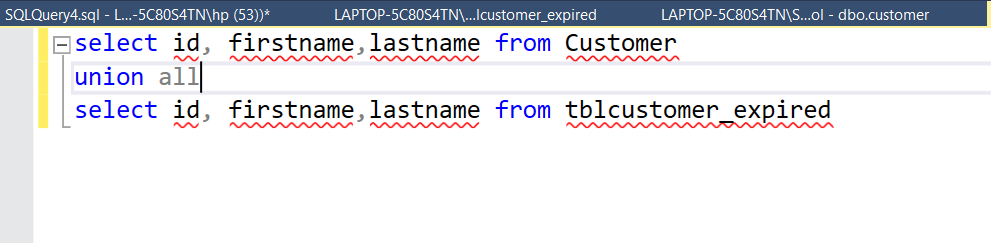
 1.Union :

  • Union operator selects only distinct values.
  • Union removes duplicate records.
       Example:


2.Union All: 

  • Union All keeps all records from each data sets. 
  • Union All is used to allow duplicate values.
         Example:


3.Oder By:

  •  The Order By clause is used for sorting data in ascending and descending order based on one or more columns.
         Example:


4.Group By:

  • Group By is used to group the rows that have the same values.
  • This clause is used with this SELECT statement.
  • The Group By clause is used with aggregate functions like: COUNT , MAX, MIN, SUM, and AVG.
        Example:


5.Subquery:

  • Subquery is also termed as nested subquery.
  • Subquery is nothing but query inside a query.
  • While the statement containing a subquery is also called an outer query or outer select.
  • In a subquery first, execute inner query and result pass to outer query then outer query executes.
         Example:


2.Correlated subqueries:

  • Correlated subquery is a subquery that uses values from the outer query.
  • The inner query needs an outer query value. Then the result pass to the outer query.
  • Correlated subquery depends upon the outer query and cannot execute on its own.
  • In this query, By using the EXISTS operator we define correlated subquery.
       Example:


For more understanding watch below video :


Thank you!!!!


Thursday, May 20, 2021

SQL server and SSMD installation.


In this blog, we are going to understand the installation steps of SQL server and SSMS.


SQL Server :

  • Structured Query Language (SQL) is a programming language used to manage relational databases system developed by Microsoft.
  • It is an application that stores the database data and executes the SQL commands and queries to manipulate the relational database.
  • You can download SQL server 2019 version from here download
  • Their are some editions in SQL :


  1. Developer : This edition used in development, non-production and test systems. Microsoft made this edition free.
  2. Express : This edition used in development and production on desktop. Also for web and small applications. This is free for some period of time.


Installation steps :

1. Run the installed application from download.
2. Select custom option and allow application to download and install all packages. Also specify path where you are going to download application.
3. After this you see new page as SQL server installation center choose installation from menu.
4. Now choose the "New SQL server stand-alone installation".


5. Choose the edition "Developer" then accept the license terms.
6. Click on the windows update radio button and check the windows firewall setting also for successful installation.
7. Choose features you need and specify instance.
8. Click on all next button and lastly finish the installation by clicking install and close. 


SSMS installation :


  • SSMS is used to access, configure, manage and develop all components of SQL Server.
  • SQL Server Management Studio Express is a management tool that provides a graphic interface for working with SQL Server database servers.
  • You can download SSMS from here download


  • You can also download SSMS from SQL Server, in installation when you click on SQL server management tools it shows the supported SSMS version to download.
  • After downloading, choose the directory and install. 
  • After installation finished you need to restart.


For more understanding watch below video :

Thank you!!!!


SQL Concept-Part 2


 In this blog we are going to understand the important and basic concepts of SQL...


 1.How can we create composite key?

  • The PRIMARY KEY constraint uniquely identifies each record in a table.
  • The combination of two or more columns that are used for unique identification of row in table.
  • composite key specifies multiple columns for a primary-key.


2.How to write simple SQL with where clause?
  • Firstly type the select query required column name,table name and where clause.
  • In this, where clause is used to put condition and get specific records.
  • The WHERE clause is used to filter records.


Example:


Output:


3.How to select specific column name in select query?
  • To select required column or we can say specific column we have to declare column name and from which table do you need it

Example:


Output:


4.What is an ALIAS in SQL Server?
        ALIAS  are used to give a table, or a column in a table, a temporary name. Aliases are often used to make column names more readable. 

Example:


5.What is difference between Inner join vs Left join vs Right join?

Inner Join:
     INNER JOIN keyword selects all rows from both the tables as long as the condition satisfies. Inner join displays the matching records from two or more tables.

Example:


Output:


Left Join:
   This join returns all the rows from left table combine with the matching rows of the right table. If you get no matching in the right table it returns NULL values.

Example:


Output:


Right Join:
     this join returns all the rows from right table are combined with the matching rows of left table .If you get no column matching in the left table .it returns null value.


Example:


Output:


For more understanding watch below video :


thank you!!!!


SQL Concept- Part 1


In this blog we are going to understand the important and basic concepts of SQL...


1.How to cretate a SQL Server database connection and new database?


firstly open SSMS and connect with server also ensure SQL server is in running mode.


create a new database:


create a table:


2.What is Primary key in SQL Server?

  • The PRIMARY KEY constraint uniquely identifies each record in a table.
  • Primary key always has unique data.
  • A primary key cannot have null value.
  • There can be no duplicate value for a primary key.


3.What is an identify column in SQL Server?
  
  • Identity column of a table is a column whose value increases automatically. 
  • The value in an identity column is created by the server. 
  • A user generally cannot insert a value into an identity column. 


4.How we can create primary key and foreign key relationship?

  • Choose the primary key of table tblCustomer and make relationship with another tablet tblAddress1.
  • To make so goto table tblAddress1 design ->right click on it->Choose an option called relationship->Click on Add We will get dialog box as below. 
  • Choose your foreign key which is primary key of another table called tblCustomer.


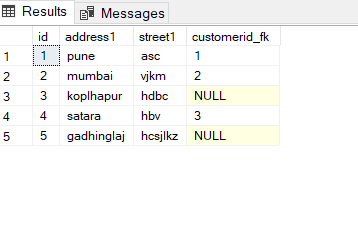
5.Are nulls allowed in foreign key?
    
             Yes, it can be NULL or duplicate. 

Example:


Output:


For more understanding watch below video :

Thank you!!!!


Function in SQL -part 8

  In this blog we are going to understand  Sql function.   FUNCTION: A function is a database object in SQL Server. It accepts only input pa...